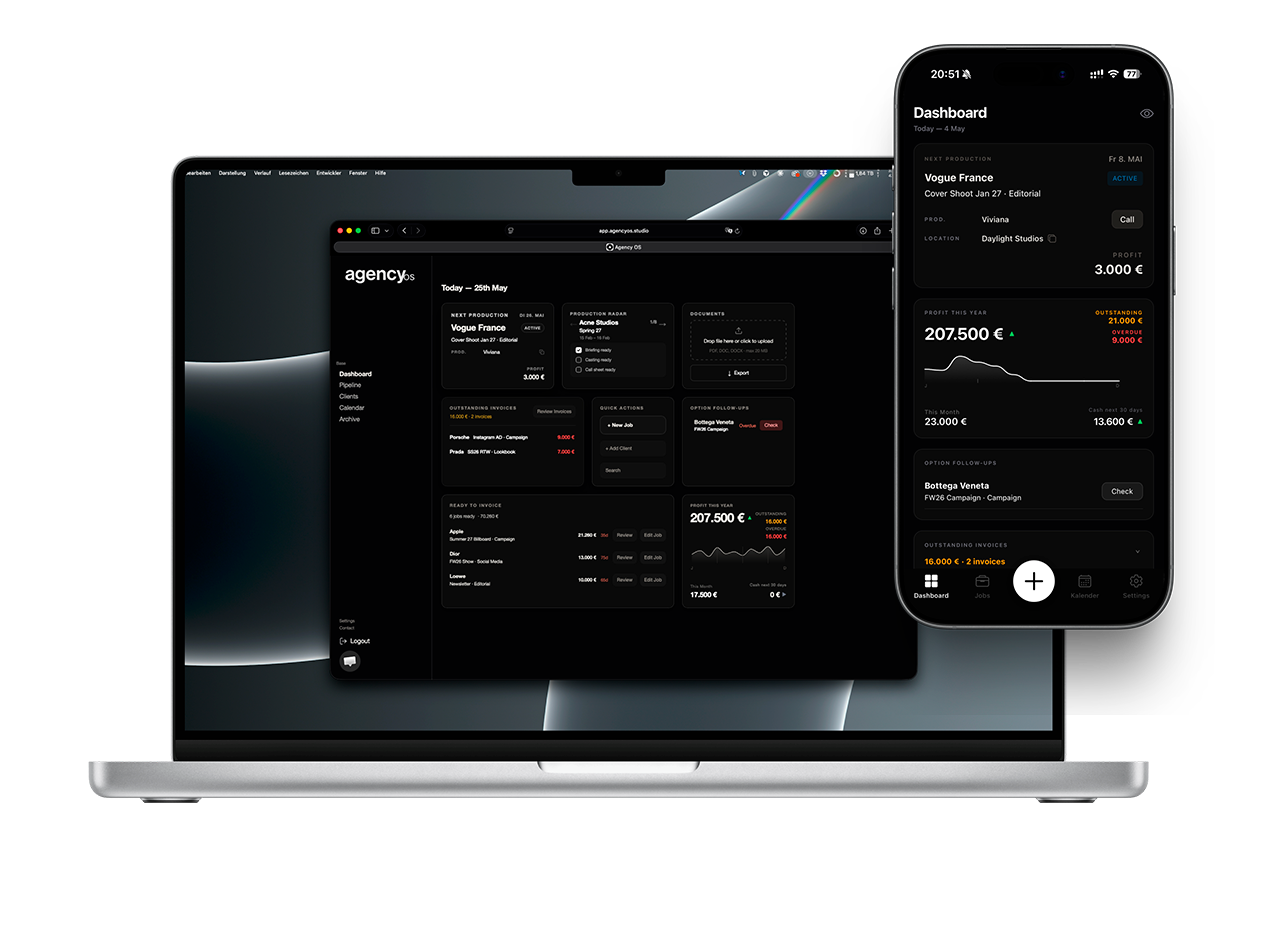
Financial overview
Dashboard
01
Check your KPIs
The top of the Dashboard shows your key numbers: secured revenue, outstanding invoices, and what is already paid — for the current year.
02
Next Production
The Next Production card highlights your nearest confirmed or active job so you always know what is coming up.
03
Outstanding Invoices
Open invoices are listed below the KPIs. See which clients owe you money and when payment is due.
04
Option Follow-ups
Jobs in Option status that need a follow-up are surfaced automatically. Nothing slips through the cracks.
05
Quick Actions
Create a new job, jump to the Pipeline, or open the Archive directly from the Dashboard.